Migrations
Moving a site to MagicWP means copying two things - the files (themes, plugins, uploads) and the database (posts, settings, users) - then pointing your domain at the new site. Every method below does those same three steps; they differ in how much of it you do by hand.
Pick a method
MagicWP Migration
Our own plugin. Site-to-site with a transfer token - no files to download.
Manual migration
SFTP and phpMyAdmin. Full control, and it works when a plugin can't run.
Migrate with Duplicator
Package the old site into an archive and run its installer here.
Migrate with Migrate Guru
Free, push-based, and it does the heavy lifting off your server.
Which one to reach for:
| Your situation | Use |
|---|---|
| You can install a plugin on the old site | MagicWP Migration |
| The old site is broken, or you only have a backup file | Manual migration |
| You already use Duplicator | Duplicator |
| The site is large and the old host is slow or times out | Migrate Guru |
We can do it for you
Migration is free on every plan. If you'd rather not do any of this, contact support with your current host's details and we'll move the site for you.
Before you start
A few minutes here saves an afternoon later.
- Create the destination site first. Which kind depends on the method - an empty environment for Duplicator and manual migrations, a new site for MagicWP Migration and Migrate Guru. Each page says which it needs.
- Check the storage limit fits. Set it to at least the size of the old site, including uploads. A limit smaller than the incoming data will stop the copy part-way. You can raise it from Settings → Storage Limit at any time.
- Note the old site's PHP version. Match it on the new site to begin with - you can upgrade after the move, once you know the site works.
- Take a backup of the old site. Whatever the method, have something to go back to.
After the move
Do these in order, before you switch the domain:
-
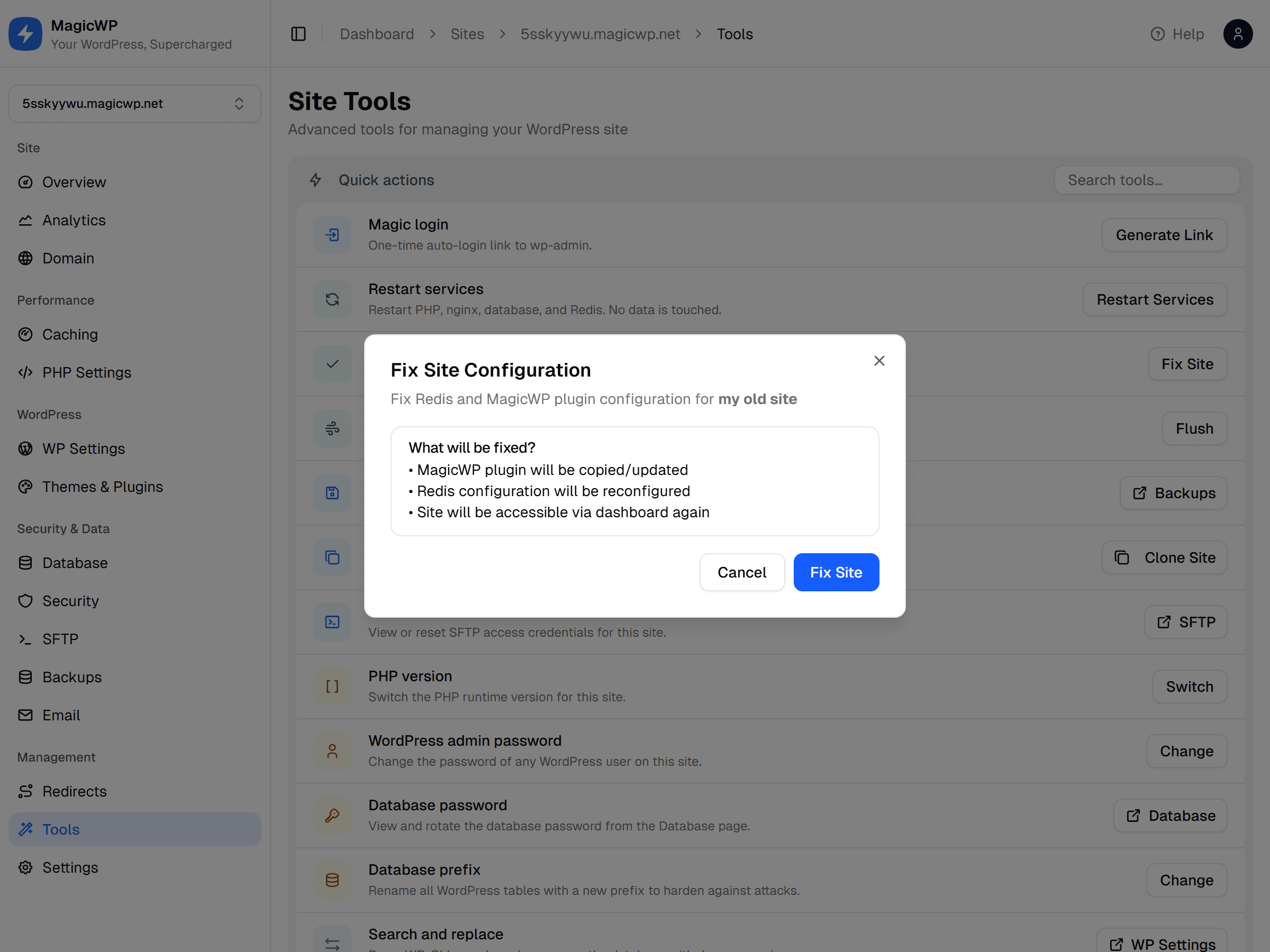
Run Fix Site. Open the site's Tools → Fix Site. This reconfigures Redis and the MagicWP plugin for the content you just brought in. Skipping it is the most common cause of a migrated site behaving oddly.
-
Check the URLs. If the site was on a different domain, run Search & Replace to swap the old URL for the new one. Most migration plugins do this for you - verify rather than assume.
-
Test on the temporary domain. Every new site gets a free
*.magicwp.netaddress. Browse the front end, log in towp-admin, and check a form and the media library before any DNS changes. -
Flush the cache. From the Sites list, use More → Flush page cache and Flush object cache so nothing from the import is served stale.
-
Point your domain over. Add it under Domain and update DNS. HTTPS is issued automatically.
Leave the old site running
Keep the old host active until the new site has served real traffic for a few days. DNS takes time to propagate, and it costs nothing to have somewhere to fall back to.